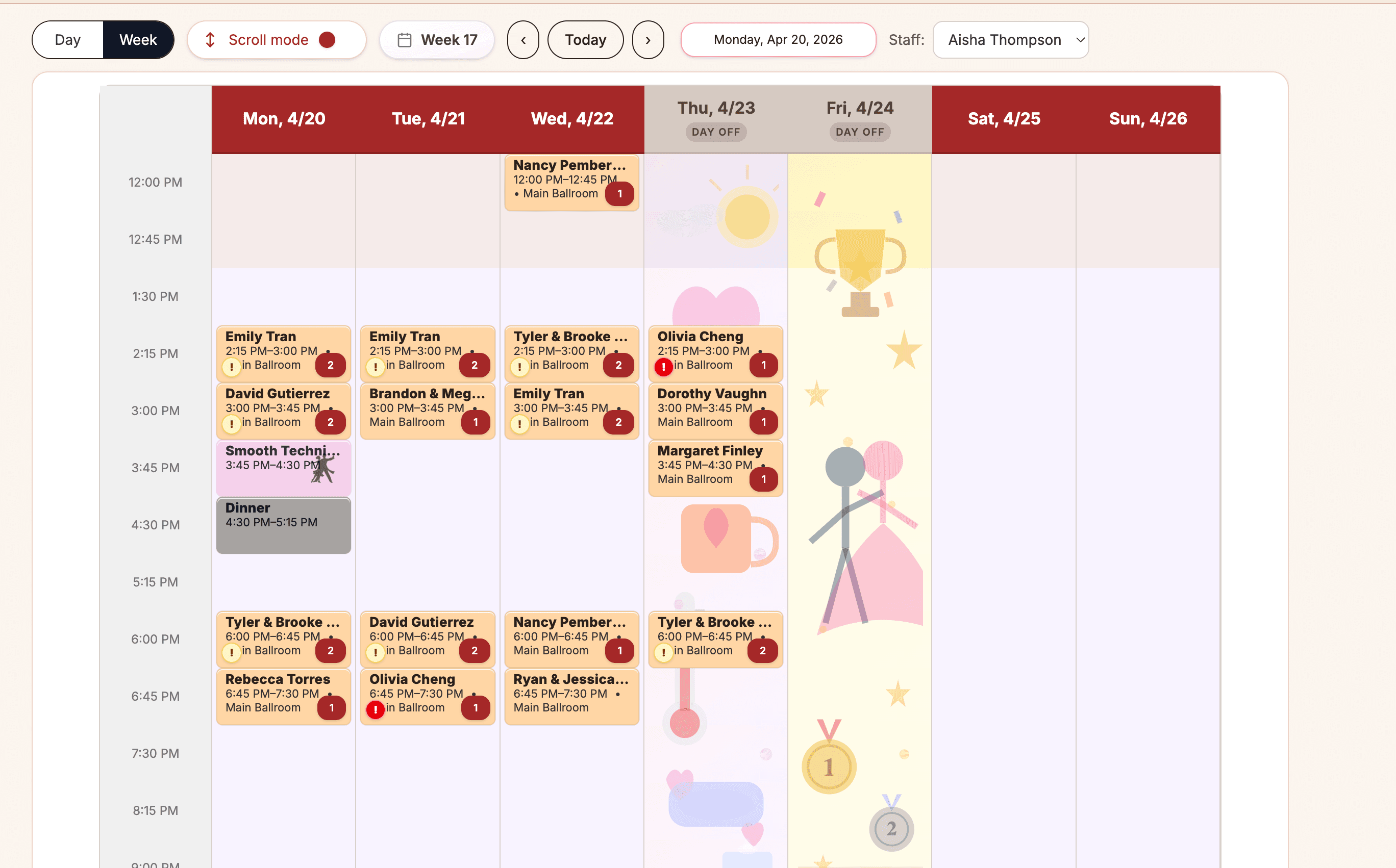
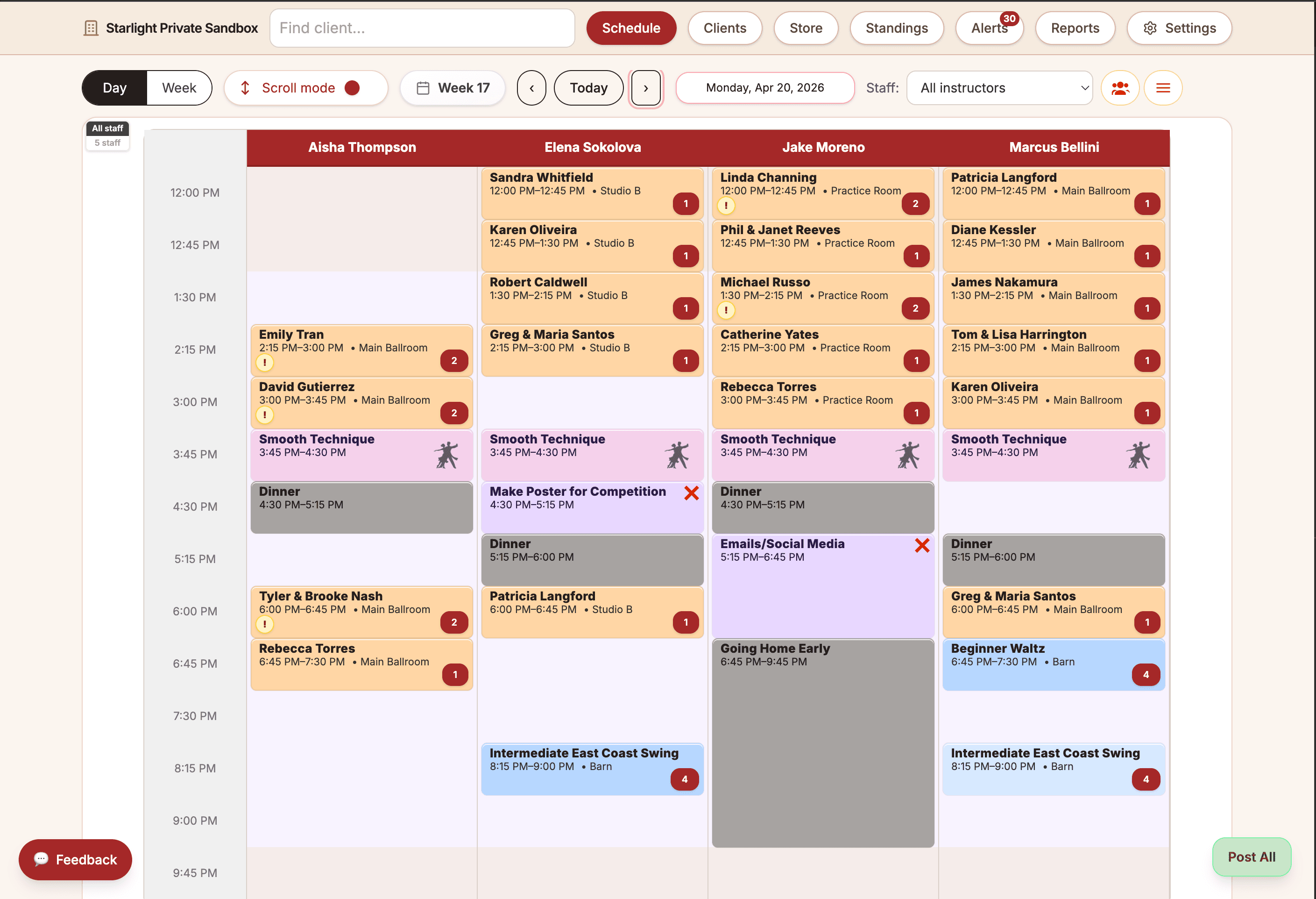
Schedule
Who is teaching what, where, and when.

 Ballroom Booking
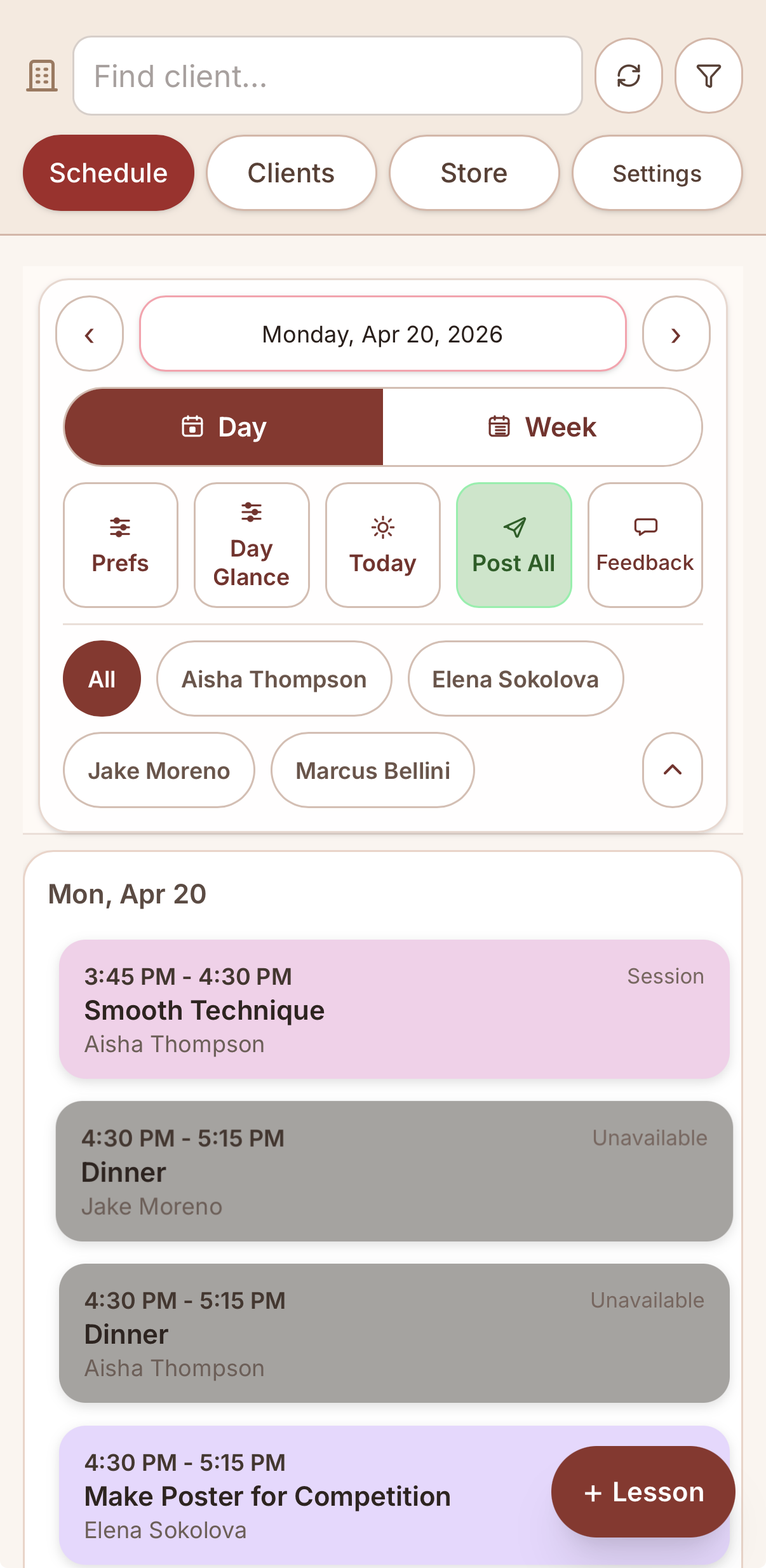
Download the official app for iPhone, iPad, or Android.
Ballroom studio software
Schedule private lessons, manage lesson packages, track couples, process payments where enabled, and keep students engaged with software built specifically for ballroom studios.
Studio workflows
Lessons, groups, parties, and rentals
Accounts
Students, couples, packages, and balances
Public sales
Intro offers and gift certificates
Owner visibility
Reports, alerts, and follow-up context
Founder / studio story
Ballroom Booking grew out of the frustration of forcing broad studio tools around couples, packages, rooms, instructors, payments, and follow-up. The product stays close to the daily work owners and staff need to trust.

Who is teaching what, where, and when.
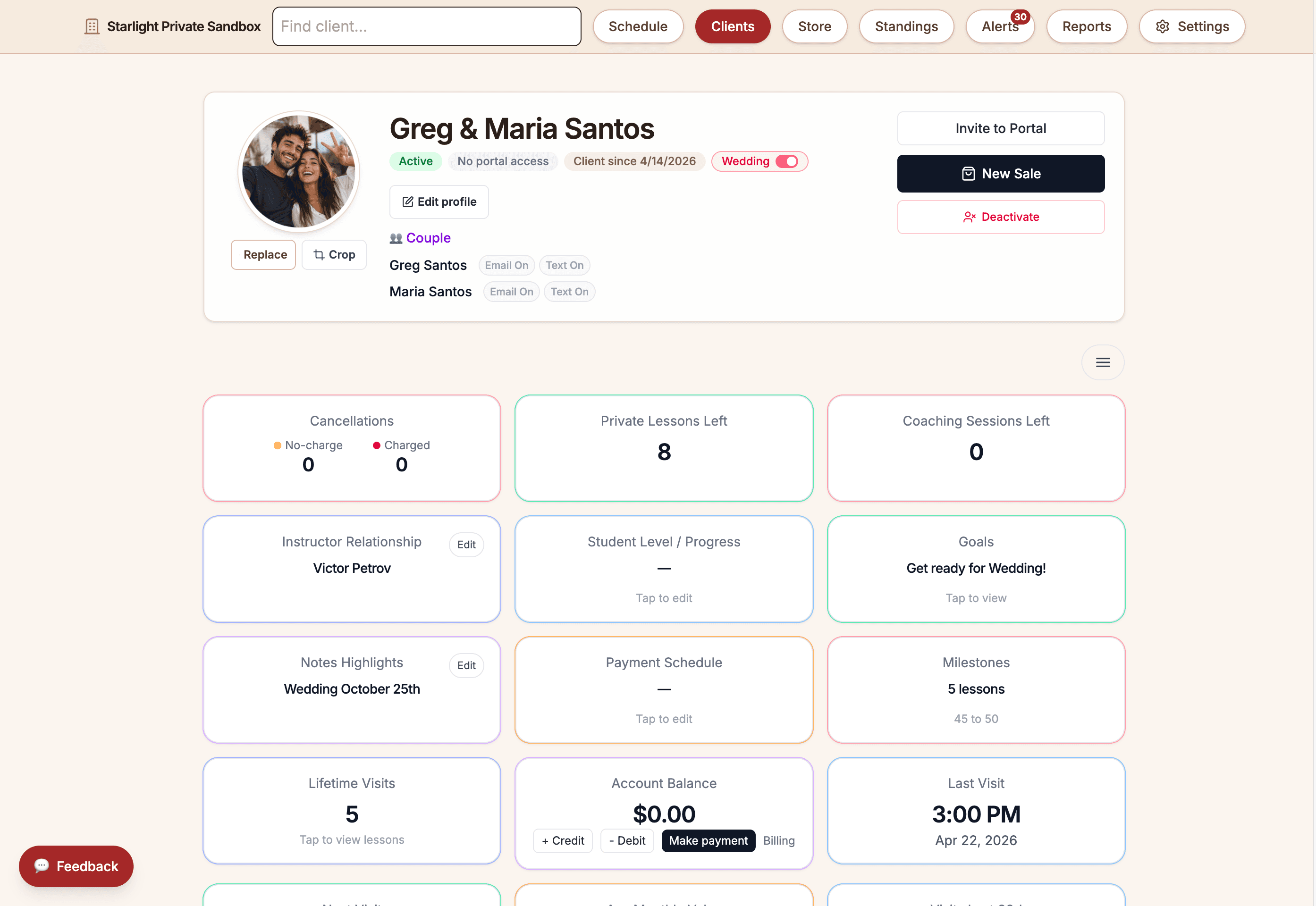
Couples, lessons, packages, and balances.
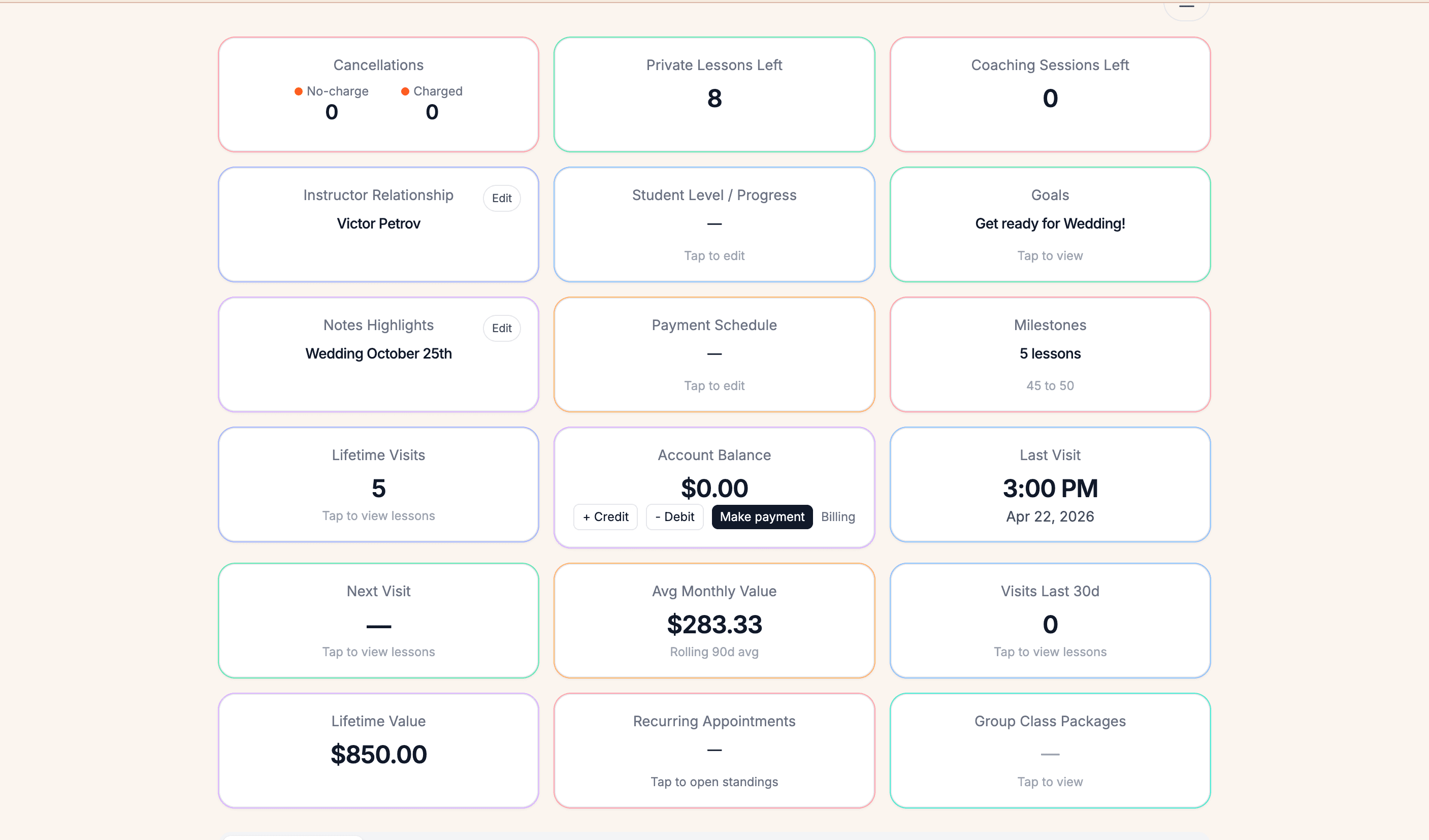
Packages, gift certificates, and public offers.
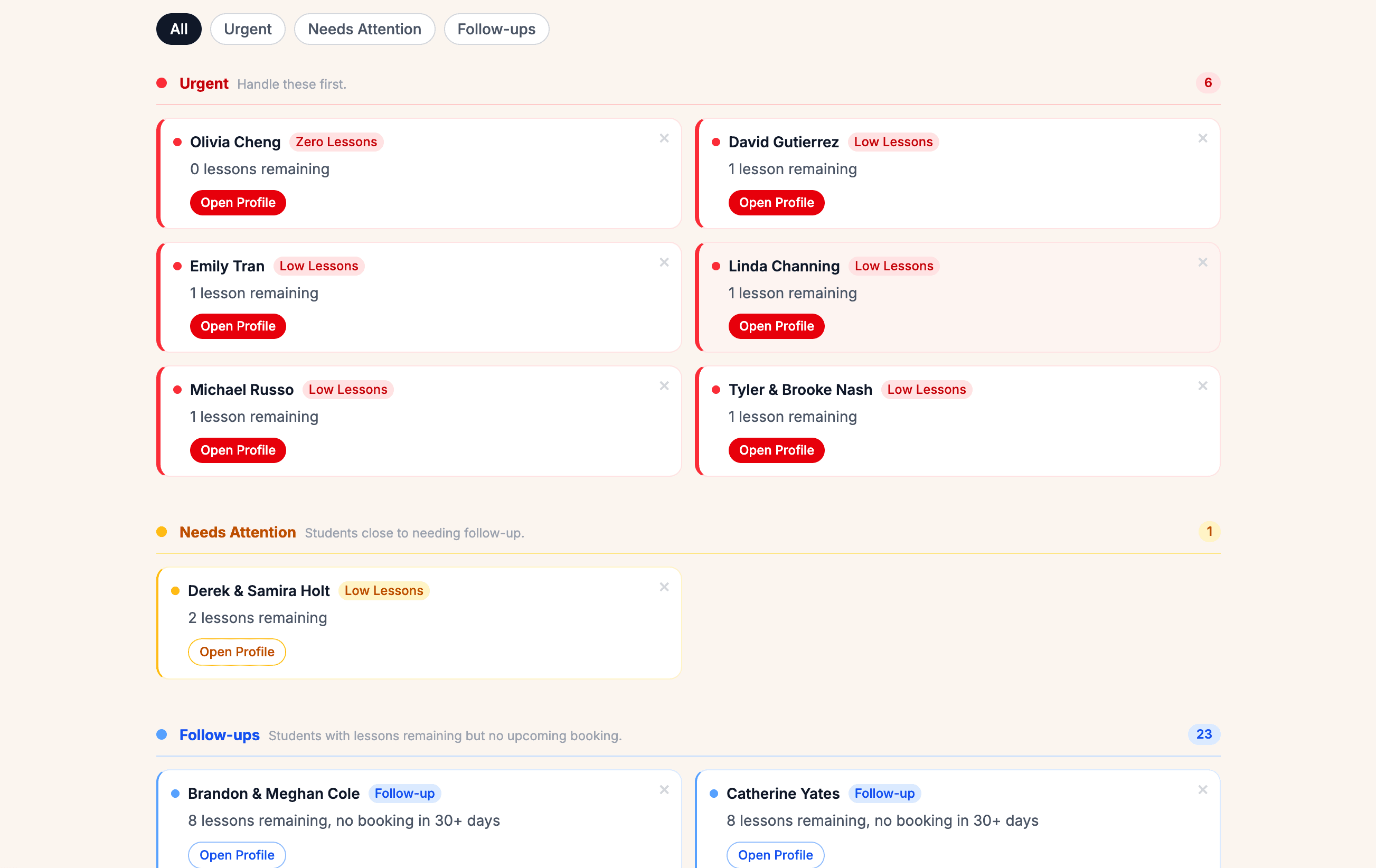
Leads, inactive students, and owner visibility.
Demo proof
Screenshots use seeded demo data, but the product surfaces are real. In a demo, trace scheduling, packages, public sales, follow-up, and setup boundaries without relying on another spreadsheet.
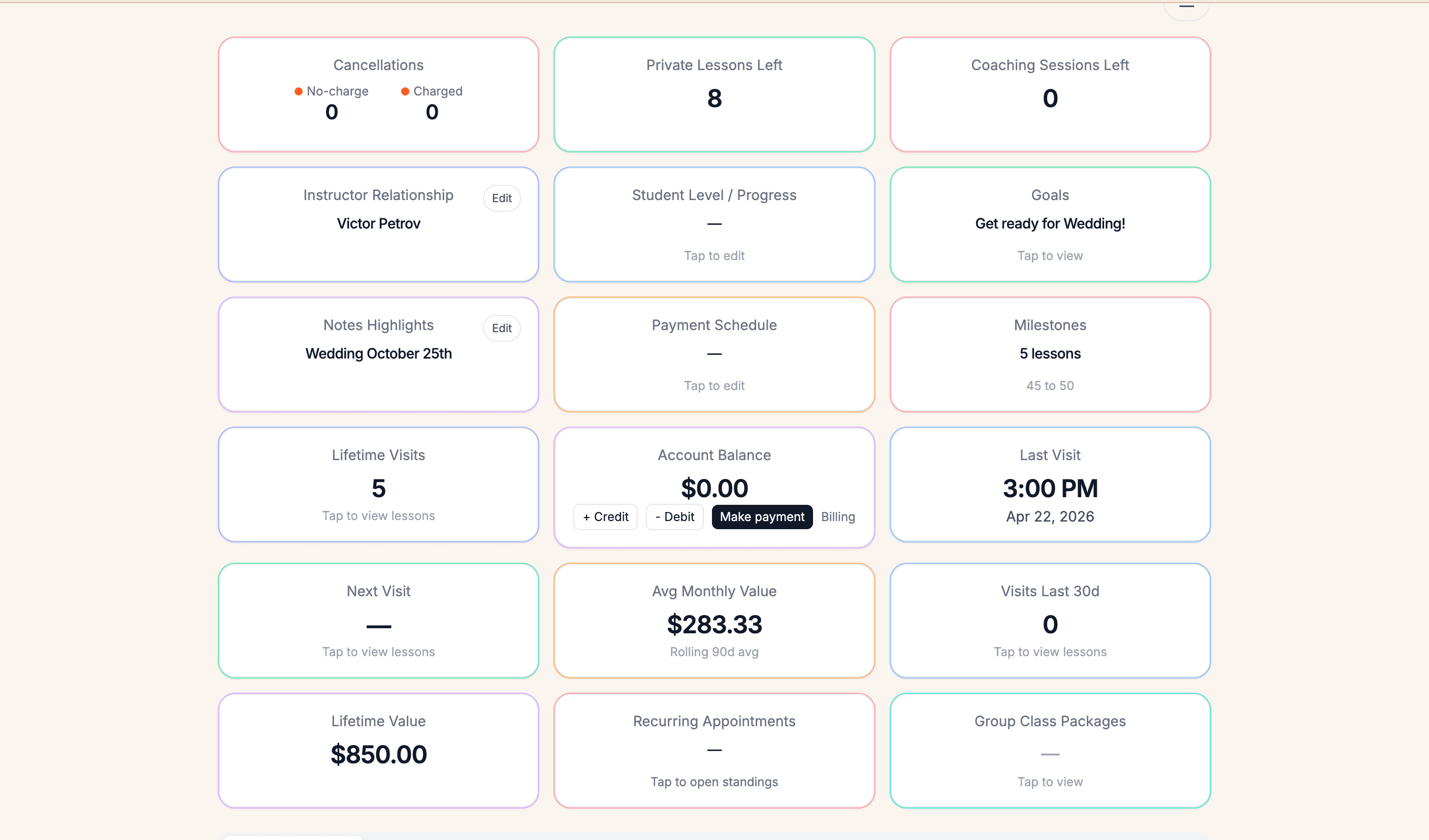
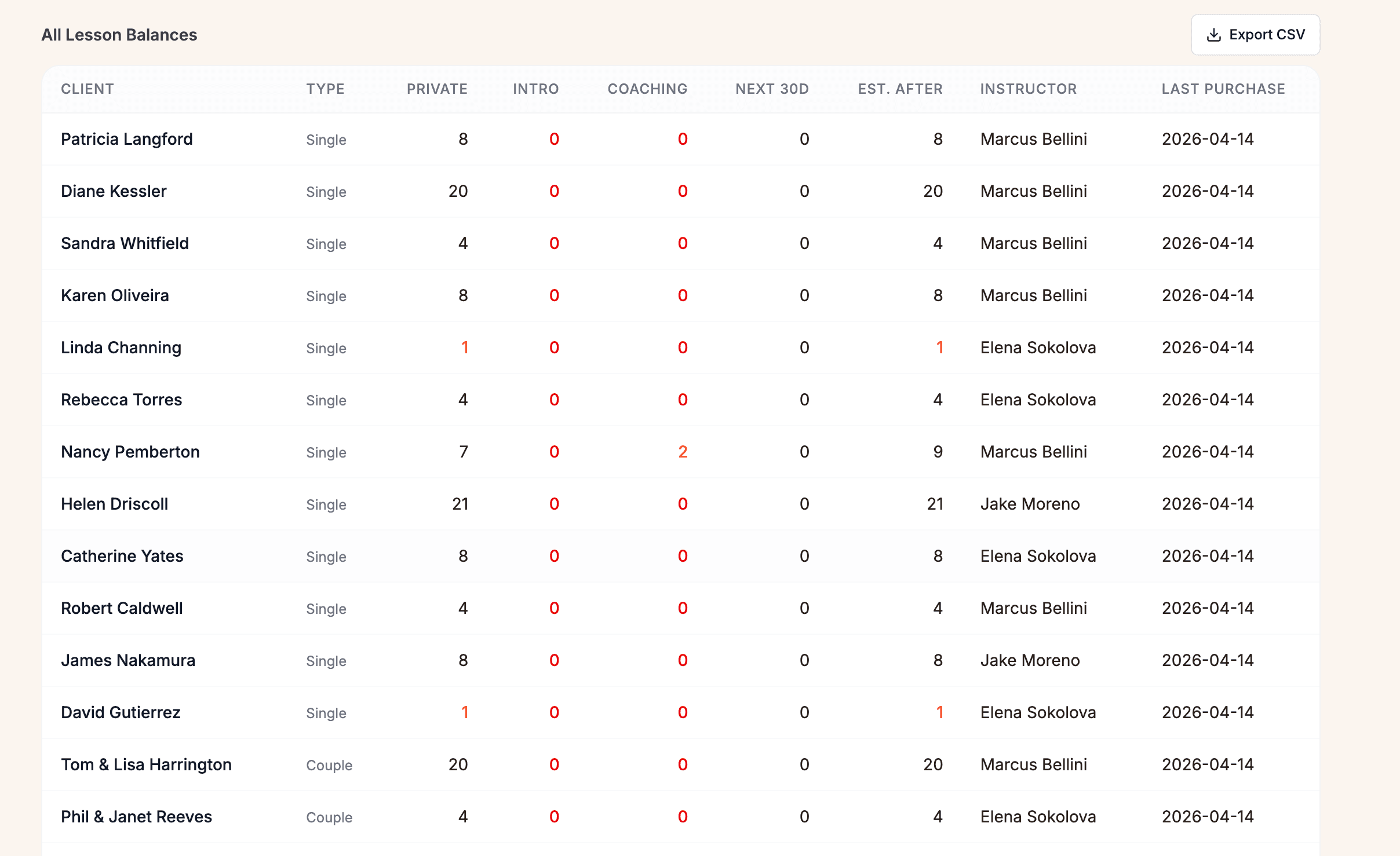
Follow one student from purchase to lessons used, lessons remaining, low-balance follow-up, and the next front-desk question.
Review private lessons, group classes, parties, instructors, rooms, and couple context in the same operating flow.
Ask to open a couple account and confirm partner context, lesson history, packages, and next steps stay clear without treating every dancer like an unrelated record.
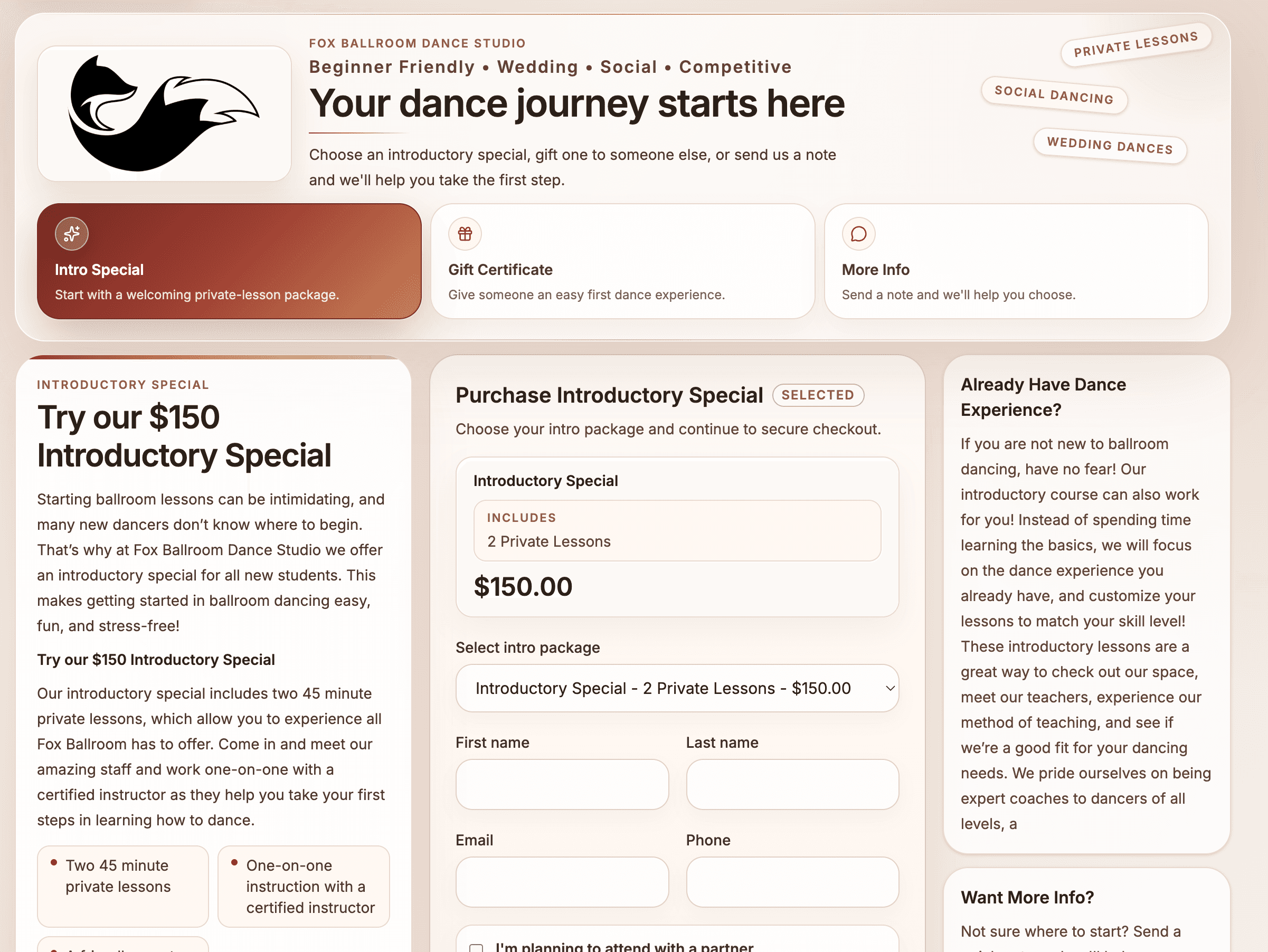
Walk through intro offers, gift certificates, payments where enabled, and the staff next step that should appear after the sale or inquiry.
Ask to see reports, alerts, and follow-up context for missed leads, quiet students, low balances, and gift or intro next steps.
Use the demo to compare what Ballroom Booking can organize with what your studio still needs to review before switching.
Follow one studio day from schedule to account, sale, follow-up, and owner review.
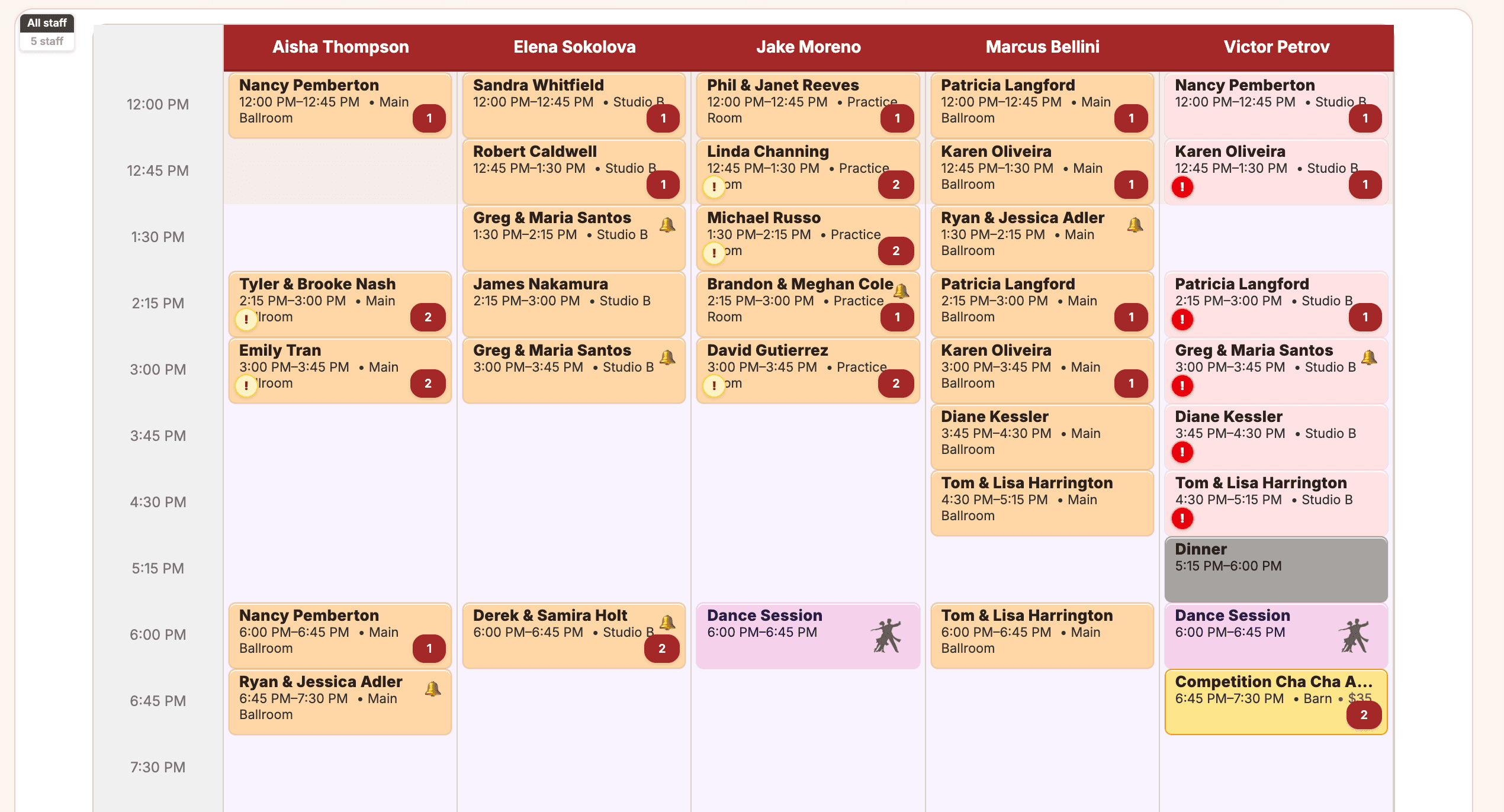
Seeded demo data. Real studio workflow.
Used inside Fox Ballroom Dance Studio.
Daily studio use keeps product decisions close to the desk, floor, students, and owner view.
Built by ballroom studio owners.
The workflows are shaped around lessons, couples, rooms, instructors, payments, and follow-up.
Real screenshots, public pricing.
The site shows product screens, a public price, and setup boundaries before the demo.
Trace one real studio week.
Ask the demo to move from calendar pressure into the student, room, instructor, and package context behind it.
Follow one purchase.
Start with an intro offer, gift certificate, or package sale and check who owns the next staff action.
Check the owner view.
Use reports and alerts to confirm the owner can see follow-up needs without rebuilding the week from memory.
Yes. It was built inside a working ballroom studio to handle private lessons, group classes, couples, packages, parties, public offers, and follow-up without forcing everything into a fitness-studio setup.
Yes. Ballroom studios often teach couples, families, and connected students. Ballroom Booking is designed around that reality instead of treating every student like an unrelated gym member.
Yes. The goal is to make it easier to see what was purchased, what was used, who has lessons left, what happens when lessons run low, and what still needs attention.
Staff should be able to see remaining lessons in account context. Student, couple, or portal visibility depends on enabled account settings, so confirm the exact balance view in the demo.
Package sales and online checkout depend on payment, portal, public sales, and Stripe/Stripe Connect setup. Use the demo to confirm which package sale paths are enabled before relying on them.
No. Start with how your studio works now, what hurts most, and what would make the transition manageable.
Tell us how your studio works and we will walk through the exact workflow with you.
Primary conversion
Tell us about your studio. We will show you whether Ballroom Booking is a good fit.