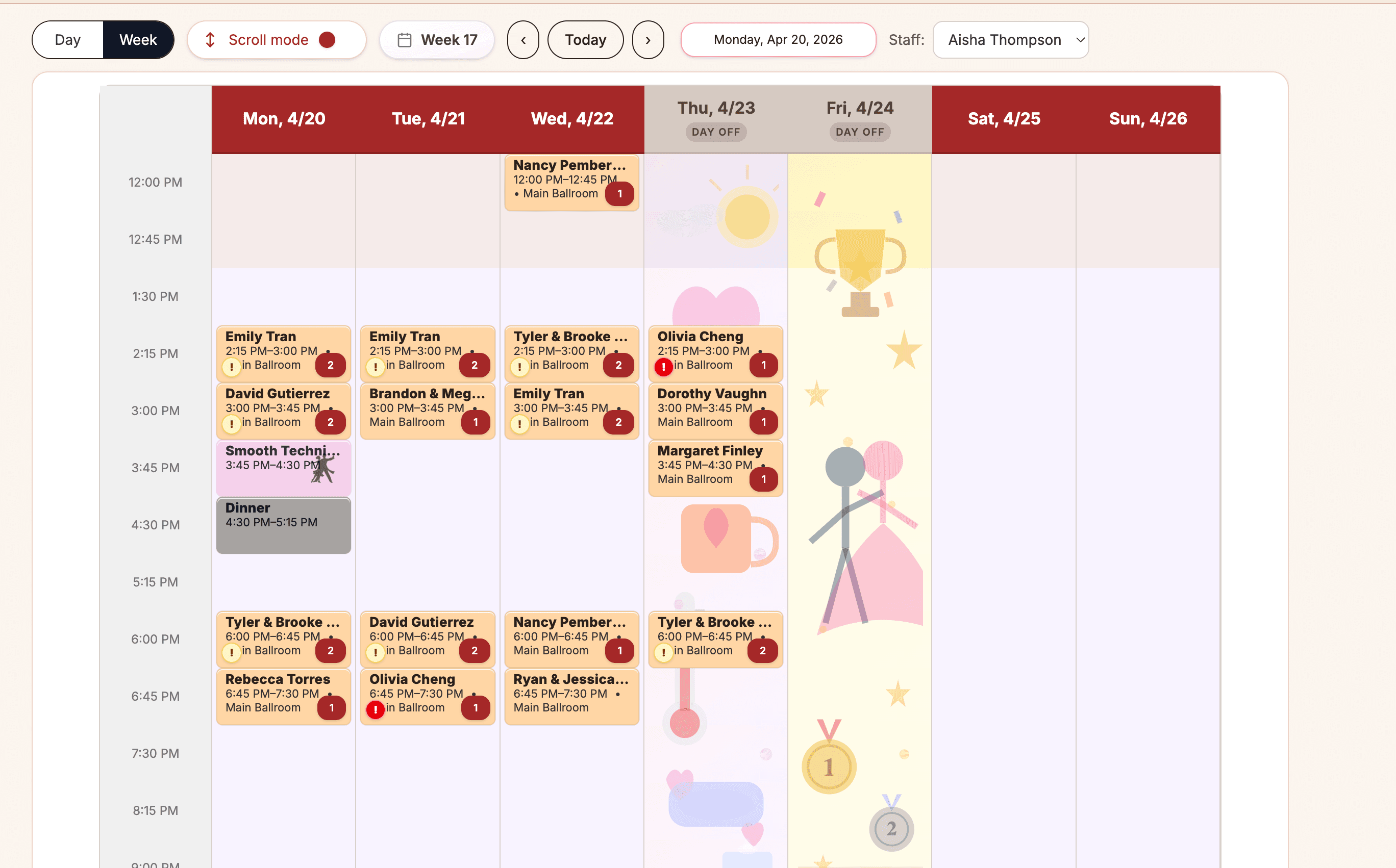
Scheduling
A clearer operating calendar for private lessons, group classes, parties, staff, and rooms.
See feature

 Ballroom Booking
Download the official app for iPhone, iPad, or Android.
Features overview
Features show what Ballroom Booking does: private lessons, group classes, students, couples, lesson packages, public offers, follow-up, reporting, and staff coordination. Resources are there when you want buying guides or switching prep.
Studio Operating View
Ballroom Booking
Core workflows
Each feature area points back to practical ballroom work the product is built to support: private lessons, students and couples, lesson packages, instructors, rooms, intro specials, gift certificates, follow-up, and owner visibility.
A clearer operating calendar for private lessons, group classes, parties, staff, and rooms.
See feature
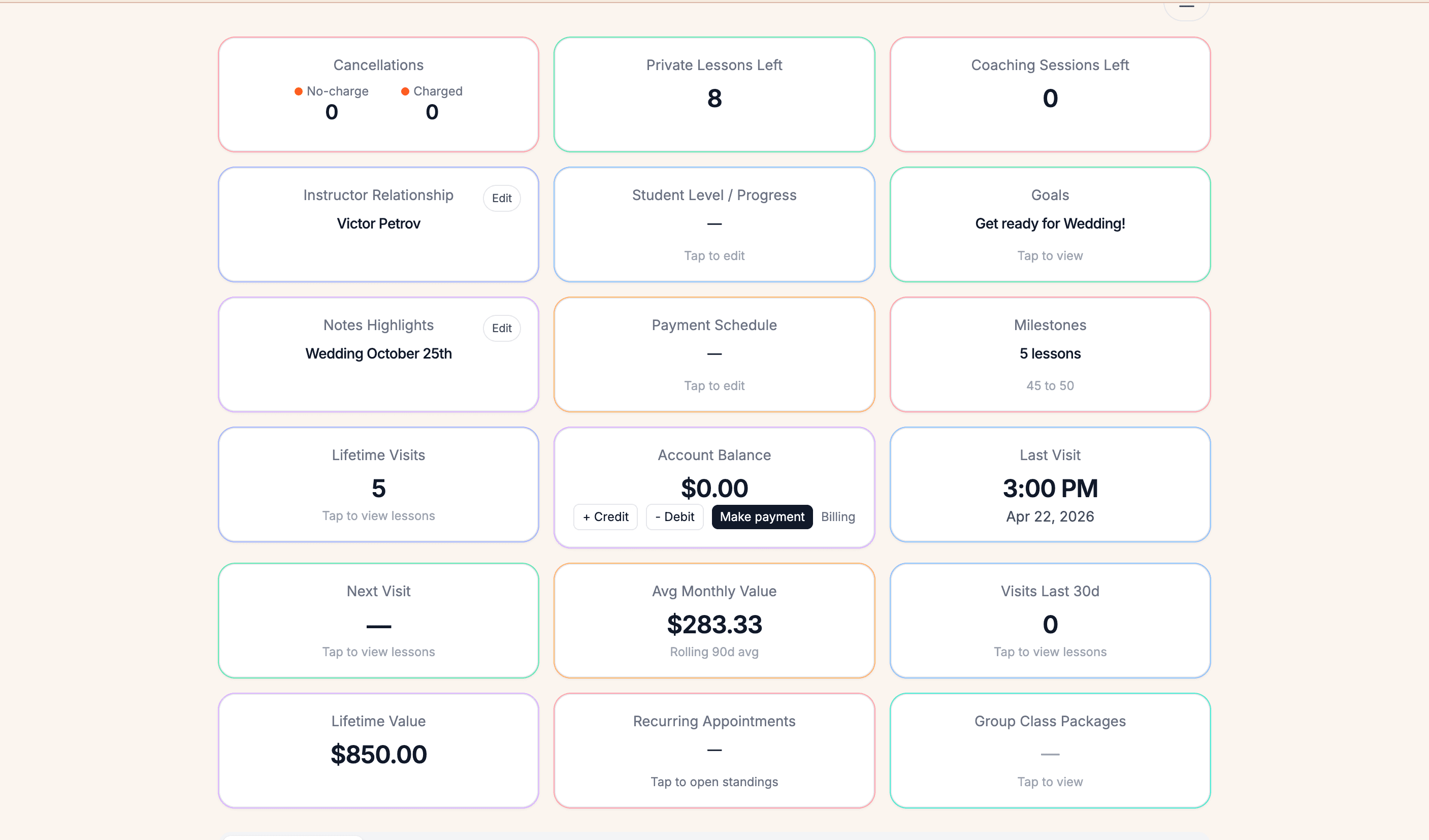
Lesson packages, balances, payment conversations, and who-has-lessons-left clarity.
See feature
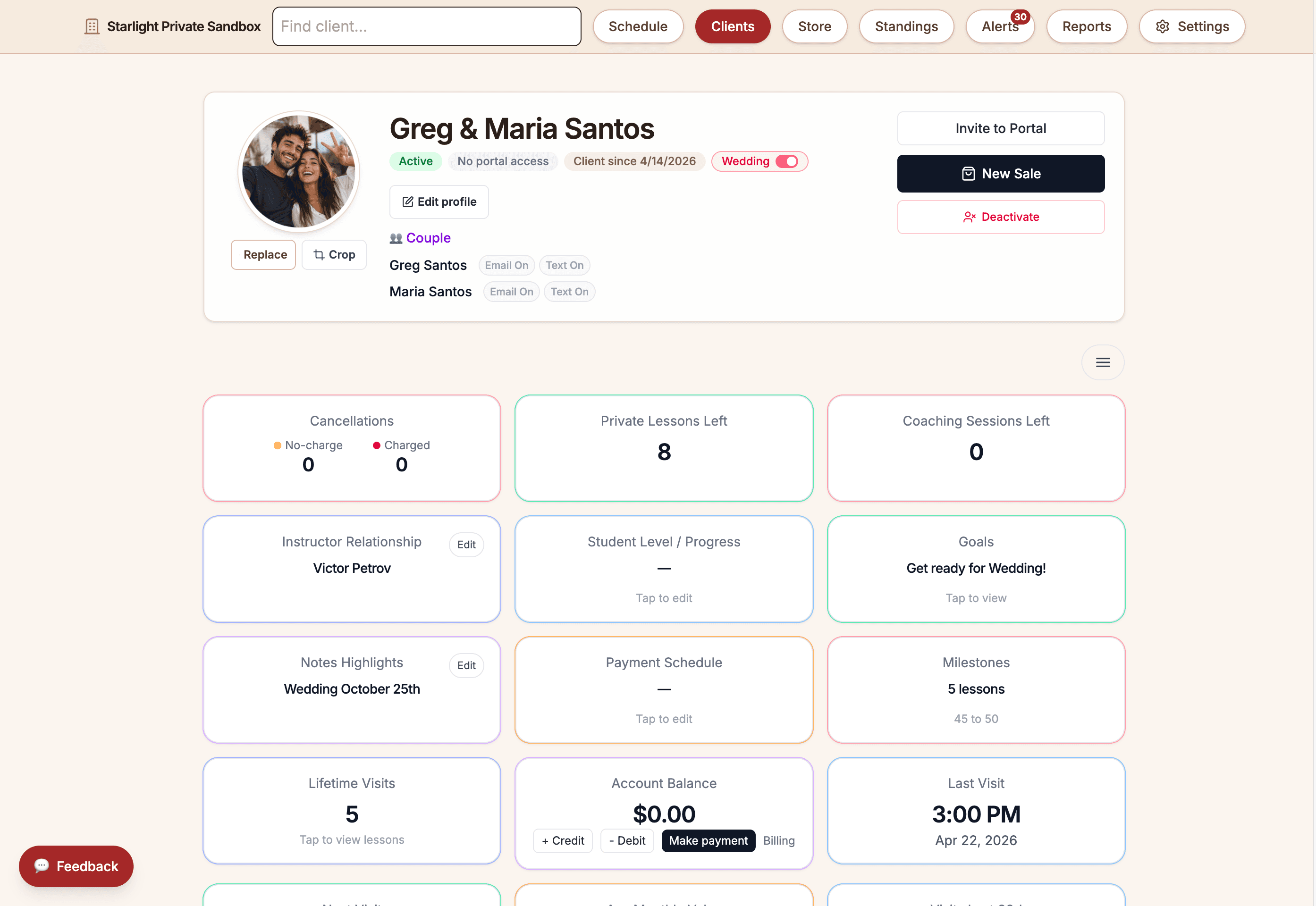
Student, couple, package, portal, and account context that still feels connected to the studio team.
See feature
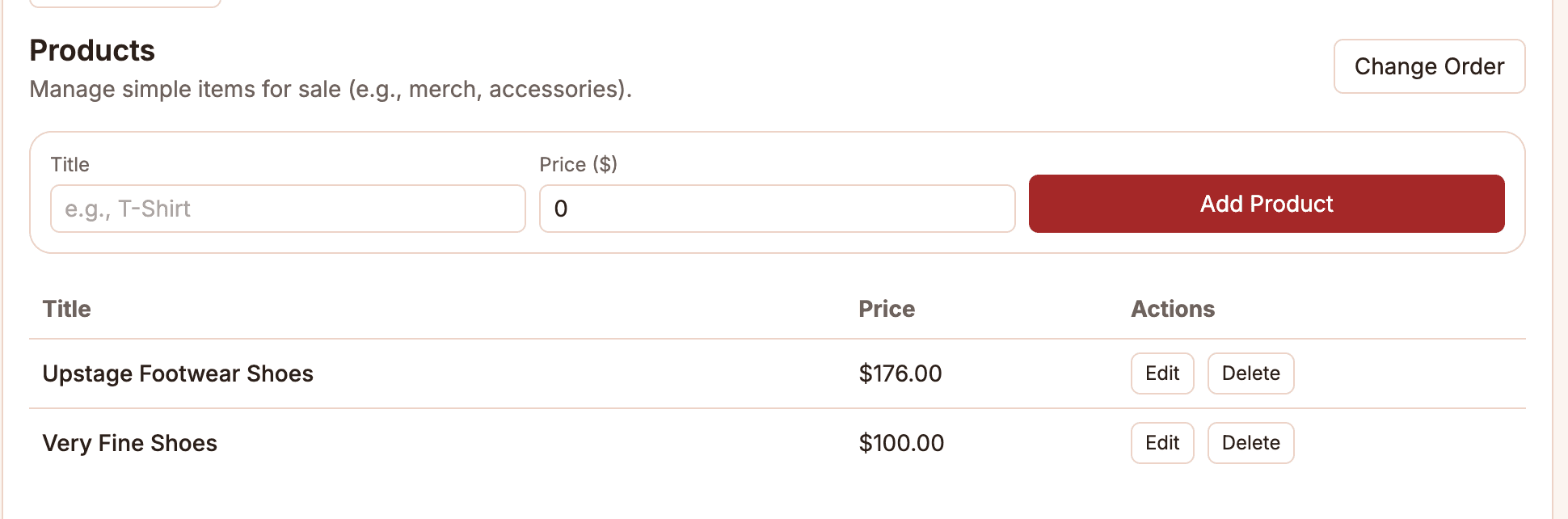
In-studio sales surfaces for services, packages, products, and gift certificate workflows.
See feature
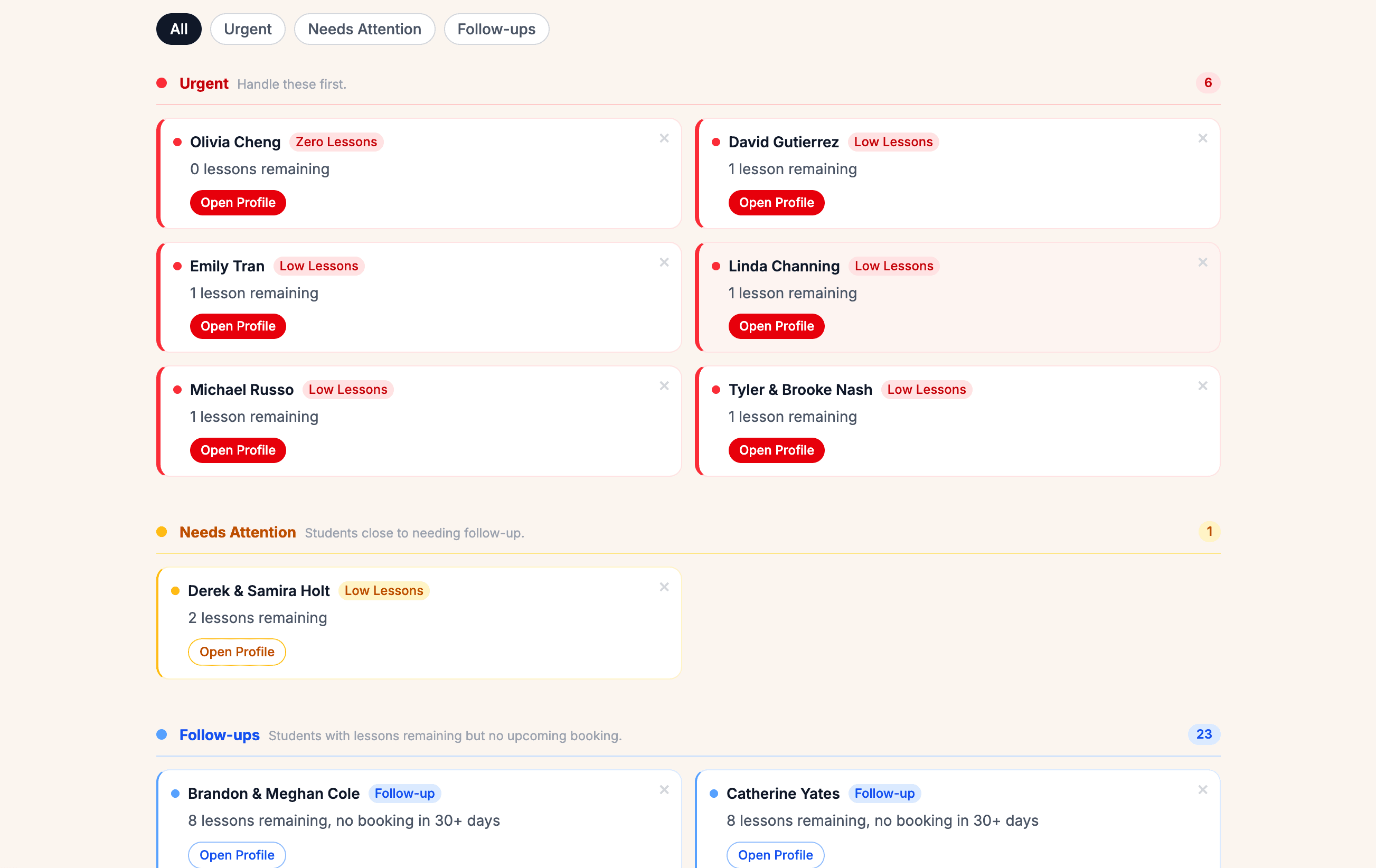
Warm follow-up cues for intro leads, quiet students, and package conversations.
See feature
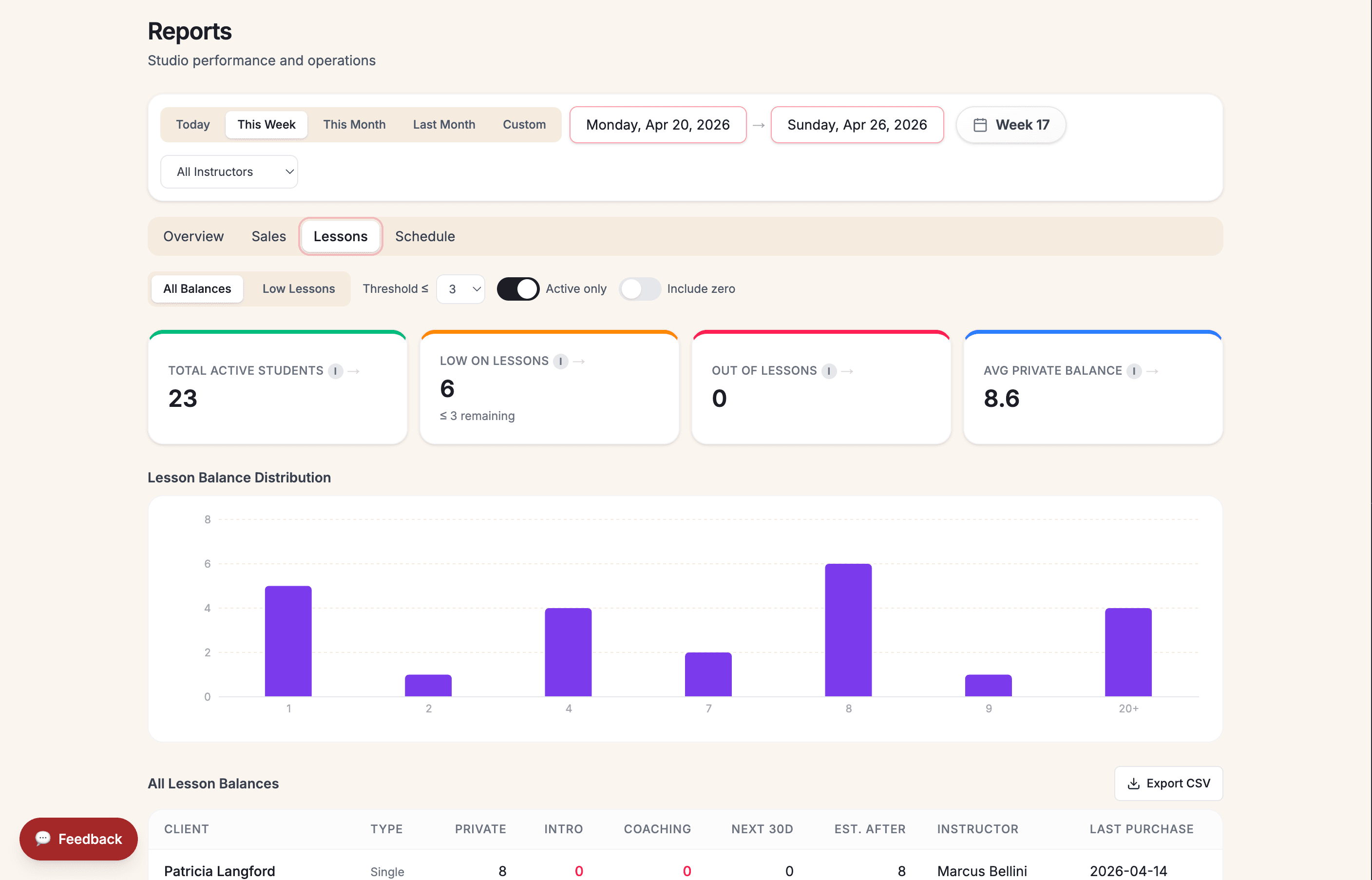
Revenue, lesson, sales, schedule, and student insight for clearer owner decisions.
See feature
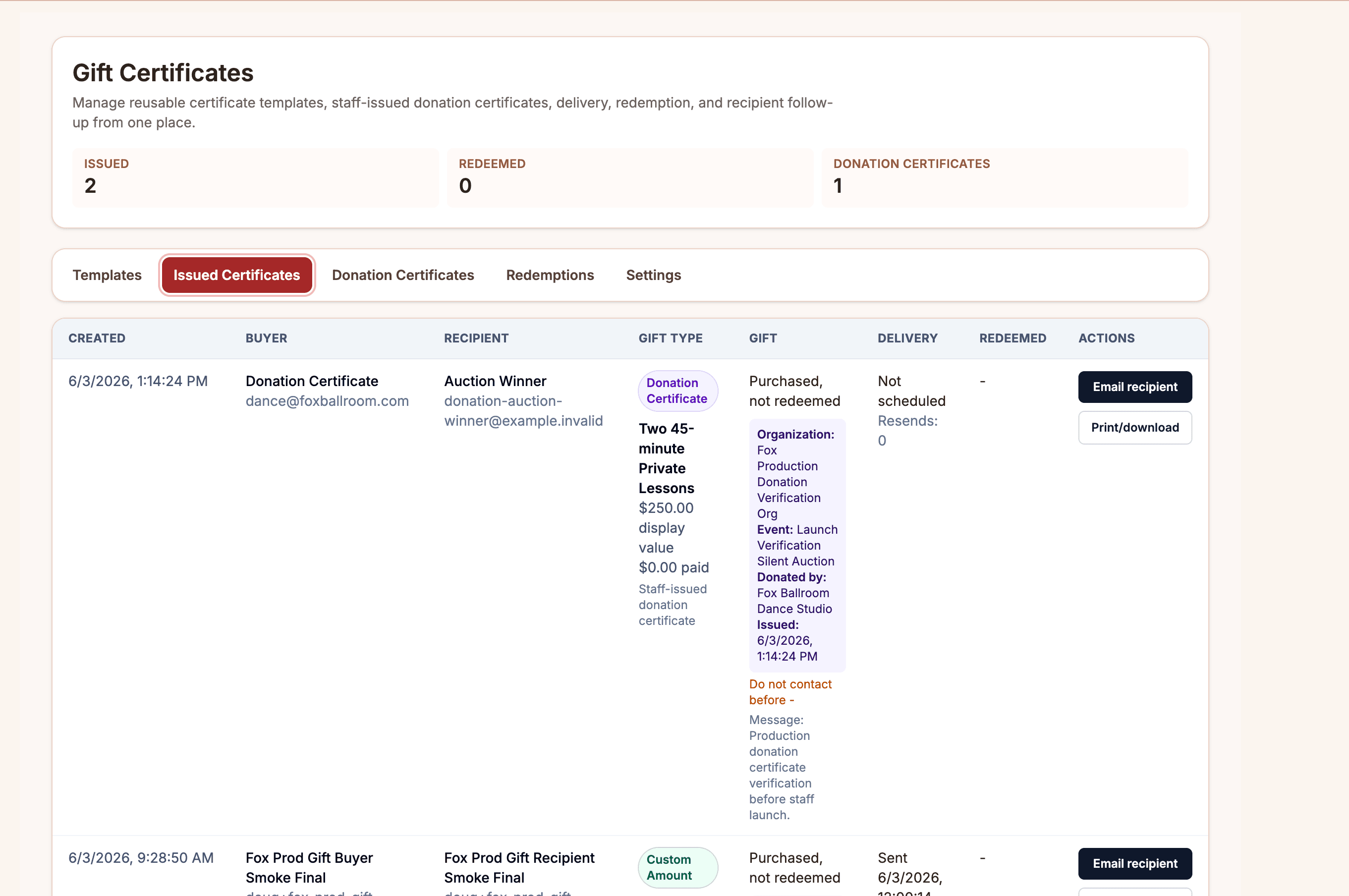
Public inquiry, intro offer, and gift certificate patterns shaped by real Fox Ballroom flows.
See feature
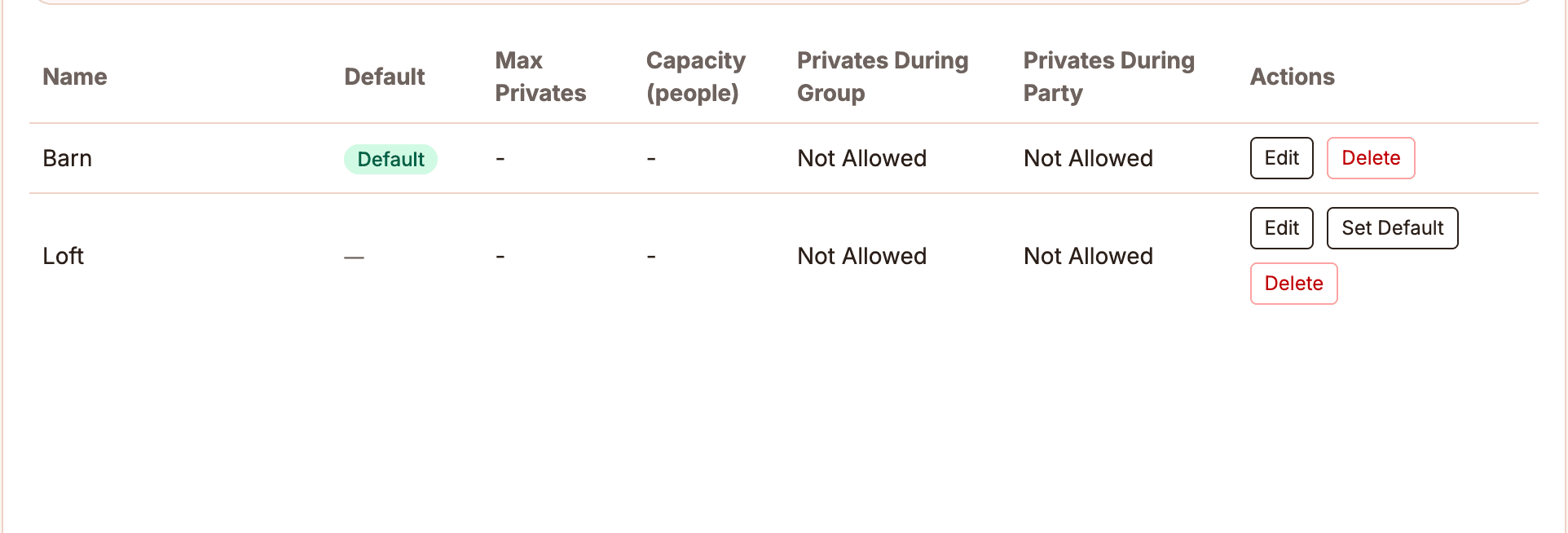
Instructor schedules, rooms, service context, and owner visibility for daily coordination.
See feature
How sections connect
Most studio problems move across the day: public interest becomes a first visit, a private lesson creates account questions, and follow-up depends on knowing what happened.
Someone asks about an intro offer or gift certificate.
The calendar keeps lessons, classes, parties, instructors, and rooms together.
The desk can see what was purchased, what was used, and what needs attention.
Leads and inactive students stay visible instead of disappearing.
Product proof
Ballroom Booking brings the everyday studio questions into one place: who is teaching, who is scheduled, who has lessons left, what was sold, and who needs follow-up.
Studio fit
A ballroom studio needs answers that broad software often misses. The product is shaped around the questions owners and front desks ask every day.
FAQ
The first conversation should clarify fit, current workflow pain, and the areas where your studio needs the most help.
No. The demo should explore how your studio handles private lessons, group classes, parties, packages, couples, instructors, and public offers today.
You will be talking with people building from real ballroom studio operations, not a queue that treats ballroom like a fitness class.
Yes. Switching can start with the workflow causing the most pain, then expand when your team is comfortable.
Yes. Package proof should show lessons remaining close to the student, schedule, payment, and reporting context so staff can answer balance questions and owners can spot low-balance follow-up.
It is real product work shaped by ballroom studio operations, with product screenshots and real studio context on the site. A demo is the right place to confirm whether the current product fits your studio's needs today.
It should not start that way. The first conversation should identify the workflows worth setting up first, such as private lessons, lesson packages, staff schedules, public sales, or follow-up.
A focused demo can start with scheduling, packages, public sales, follow-up, or reporting.